Microsoft Excel Training
Microsoft Excel is a powerful spreadsheet program used to create, edit and format professional tabled reports. From simple lists to complex linked spreadsheets using formulas, functions and macros, Excel helps users save time, analyse information and create clear business reports.
Download Course Overview
Choose Your Excel Section
Click a section below to view the full details
Spreadsheets Made Easy
Excel Introduction Course
Duration: 1 Day
Level: Introduction
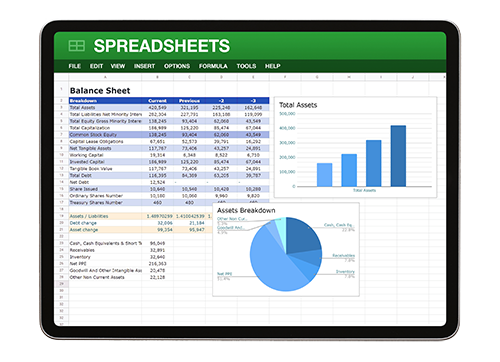
One of the hardest problems users face in Excel is percentages, including finding, adding and deducting them. This course shows simple steps to conquer this problem, helping users create more complicated spreadsheets they can trust and use effectively. It also introduces spreadsheet linking and useful formulas such as Today, Median, Mode and Absolute Cell Referencing.
Course Requirements
No previous experience of Microsoft Excel is required. Delegates should have basic computer skills, including how to use a mouse and keyboard.
Course Content
- Keyboard: Function keys and shortcuts.
- Screen Layout: Terminology, toolbars and navigation.
- Formatting: Opening, closing, saving, text, columns and rows.
- Editing: Planning, Autofill, copy, cut, paste and Paste Special.
- Printing: Selection, entire workbook, worksheet and page setup.
- Data: Sort, filter and subtotals.
- Basic Graphs: Bar, area and pie charts.
- Basic Formulas: Arithmetic, percentages, absolute references, averages and dates.
- BODMAS and BIDMAS: Understand formula calculation order.
- Average, Median and Mode: Use common statistical formulas.
- Count Formulas: Count, CountA, CountBlank and CountIF.
- Min and Max: Find lowest and highest values.
- Problem Solving: Workshops and question-and-answer sessions.
Combined & Complex Formulas
Excel Intermediate Part 1
Duration: 1 Day
Level: Intermediate
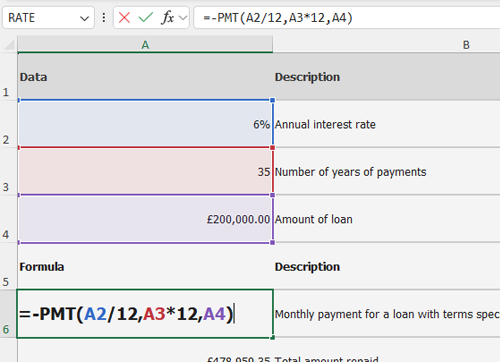
This course introduces more complex Excel features. Delegates will learn some of Excel’s most beneficial functions, including IF, SUMIF, COUNTIF, AND, OR, VLOOKUP and HLOOKUP. It also introduces combined formulas and more advanced data analysis techniques.
Course Requirements
Delegates should have attended the previous level of the Excel course at Pringle PCS or have equivalent working knowledge.
Course Content
- Refresher Workshop: Review key skills from the previous level.
- Editing: Custom fills and conditional formatting.
- Advanced Linking Spreadsheets: Formula linking.
- Data: Pivot Tables, custom filtering, subtotals, validation, lists and protection.
- Formulas: IF statements, CountIF, SumIF, VLOOKUP and HLOOKUP.
- Nested IFs: Build multi-stage logical formulas.
- AND and OR: Use logical formulas for multiple criteria.
- What IF Analysis: Goal Seek and Scenario Manager.
- PMT: Calculate loan repayments.
- Combined Formulas: Introduction to combining formula logic.
- Text Formulas: Len, Left, Right, Mid, Find, Proper, Upper and Lower.
- Combined Text Formulas: Use text formulas together for data cleanup.
- Problem Solving: Workshops and question-and-answer sessions.
Pivot Tables & Data Reports
Excel Intermediate Part 2
Duration: 1 Day
Level: Intermediate / Advanced
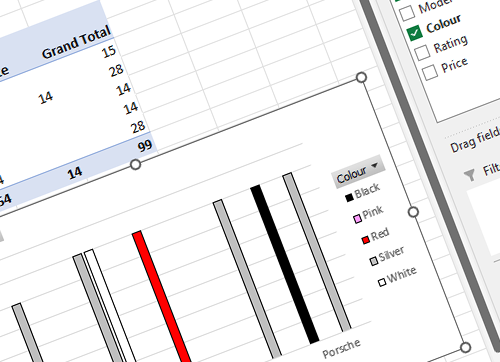
This hands-on training course helps participants master essential tools for organising, analysing and presenting data in Excel. It is ideal for anyone wanting to enhance reporting skills or improve decision-making through better data management.
Course Requirements
Delegates should have attended the previous level of the Excel course at Pringle PCS or have equivalent working knowledge.
Course Content
- Pivot Tables: Organise and analyse large datasets.
- Data Sorting and Filtering: Sort and filter data to focus on key information.
- Graphs and Charts: Present data visually.
- Creating Reports: Build useful and professional reports.
- Using the Slicer: Filter Pivot Table reports interactively.
Excel Master Class
Excel Advanced Course
Duration: 1 Day
Level: Advanced
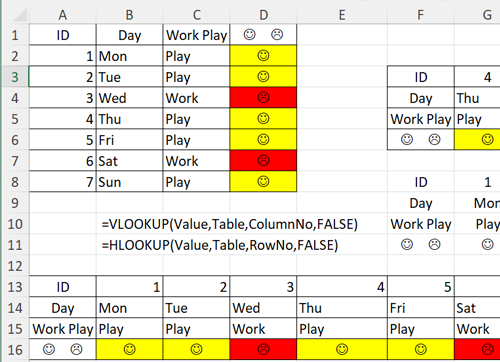
The advanced course focuses on combining Excel features, functions and tools to solve more complex problems. It introduces financial, text and date formulas, along with Macros and VBA, helping users build confidence to master advanced Excel tasks.
Course Requirements
Delegates should have attended the previous level of the Excel course at Pringle PCS or have equivalent working knowledge.
Course Content
- Refresher Workshop: Review and consolidate previous Excel skills.
- Date Formulas: Day, Month, Year, WeekDay and WeekNum.
- Combined Advanced Formulas: IF, AND, OR, VLOOKUP and HLOOKUP combined.
- Problem Solving Exercises: Solver, complex formulas and practical problem solving.
- Macros VBA: Recording, editing and running macros, understanding VBA and REM statements.
- Advanced Customising: Toolbars and menus.
- Advanced Formatting: Templates, consolidating data, Track Changes and auditing.
- Forms: Dropdown lists, tick boxes and spinners.
- Combined Date Formulas: Use date logic in practical formulas.
- Advanced Combined Text Formulas: Len, Left, Right, Mid, Find, Proper, Upper and Lower.
- Problem Solving: Workshops and question-and-answer sessions.
Excel Training Videos
Free Excel Learning Videos
Format: Online Videos
Search: Included Below
Microsoft Excel Training Videos
| Video | Link |
|---|---|
| Microsoft Excel | BODMAS & BIDMAS | Open Video |
| Microsoft Excel | Basic Formulas | Open Video |
| Microsoft Excel | Absolute References & Dollar Signs | Open Video |
| Microsoft Excel | Percentages | Open Video |
| Microsoft Excel | Learning a Formula | Open Video |
Prices
Scheduled Courses & Company Classroom
Booking: Single, Additional or Company
Format: Scheduled or Bespoke
IT & Business Skills Scheduled Courses
All scheduled courses are held at Pringle PCS Training & Conference Centre or delivered online.
| Scheduled Course Option | Price |
|---|---|
| Online Single Booking | £120 per person |
| Online Additional / Subsequent Delegate Booking On The Same Day Scheduled Online Course | £75 per person |
| Single Booking Scheduled Course at Skywalker House | £150 per person |
| At Skywalker House Additional / Subsequent Delegate Booking On The Same Day | £90 per person |
| Online One To One | £345 |
| One To One: Client Site or Skywalker House | £395 |
IT & Business Skills Company Classroom
This training is given exclusively for your company, either at PCS or at your own premises. Evening and weekend dates are also available on request.
| Company Classroom Option | Price |
|---|---|
| Individual Days: Online — Max 8 Delegates | £495 |
| Individual Days: PCS or Client Site — Max 8 Delegates | £595 |
| Individual Days: PCS or Client Site — Max 12 Delegates | £695 |
| Bespoke IT & Business Skills Course / Team Building / Surgery On-site | £795 |
| Computer Hire and Setup | £10 per PC |
| Bespoke Database Development On-site at Client’s Premises | £695 |
Course Dates
Scheduled Excel Course Dates
Includes: Introduction, Intermediate, Pivot Tables & Advanced
Alternative Dates: Available on Request
Course Dates
If our set dates are not suitable, please contact us to discuss alternative dates.
| Training Course | Oct | Nov | Dec | Jan | Feb | Mar | Apr | May | Jun | Jul | Aug | Sep |
|---|---|---|---|---|---|---|---|---|---|---|---|---|
| Microsoft Excel | Introduction ITS04 |
4 | 4 | 4 | 6 | 4 | 4 | 4 | 5 | 4 | 4 | 5 | 4 |
| Microsoft Excel | Intermediate ITS05 |
7 | 5 | 5 | 7 | 5 | 5 | 7 | 6 | 5 | - | 6 | 5 |
| Microsoft Excel | Pivot Table Reports ITS07 |
9 | 7 | 9 | 9 | 7 | 7 | 9 | 8 | 9 | 9 | 8 | 9 |
| Microsoft Excel | Advanced ITS06 |
8 | 6 | 6 | 8 | 6 | 6 | 8 | 7 | 6 | 8 | 7 | - |
| Microsoft Excel | Introduction ITS04 |
One To One Or Company Classroom Booking Only | |||||||||||
| Microsoft Excel | Intermediate ITS05 |
One To One Or Company Classroom Booking Only | |||||||||||
| Microsoft Excel | Pivot Table Reports ITS07 |
One To One Or Company Classroom Booking Only | |||||||||||
| Microsoft Excel | Advanced ITS06 |
One To One Or Company Classroom Booking Only | |||||||||||


